
What still works when the power or internet goes out
Plenty of houses already bought the fix. A generator went in after the last bad storm, or a battery backup went on the shelf under the equipment, and the next outage still took the cameras, the shades and the app down with it. The equipment was not the mistake. It was bought for the wrong outage.
There are two outages inside one storm. The power goes first. The provider's service goes second, often hours later, as their own equipment runs its batteries down. Third, the power comes back, frequently well before the internet does. Fourth, and last, service returns, sometimes a day or more behind the lights.
Those four steps are two separate outages wearing one coat, and nearly everybody treats them as one event. The two break different things, they have different fixes, and buying the fix for one does nothing for the other.
So they get checked separately.
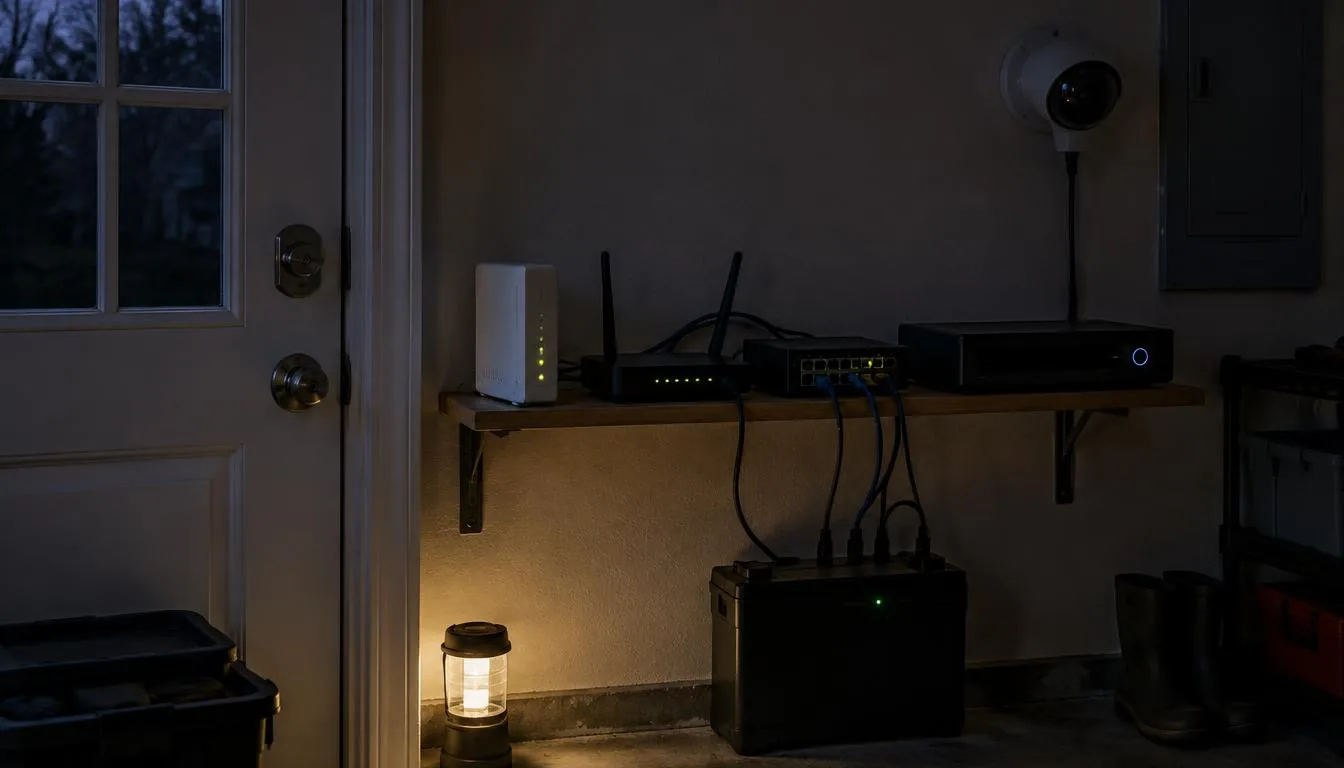
A power outage and an internet outage are not the same inspection
A power outage removes the electricity. Lights, shade motors, network equipment, cameras, the gate. All of it stops. What survives is whatever sits on backup power, plus anything mechanical.
An internet outage leaves every device in the house powered and functioning and cuts the path between those devices and the companies whose servers they talk to. The lights have electricity. The app cannot reach them.
A generator does nothing about a cut line in the street. Cellular failover does nothing in a blackout if the equipment it feeds has no power. The two get walked separately, or the wrong thing gets purchased.
What has to keep working with no internet
The requirement is short, and it is a standard rather than a preference. Lights work from the wall. Shades work from a keypad. The gate opens. Locks open from the inside. The cameras keep recording to something inside the house.
That is one requirement stated five ways: the house has to work without leaving the house.
When the logic and the control path live on equipment inside your walls, a cut line outside means you cannot check the cameras from the office. It does not mean your lights stopped answering the switch.
Anything that works only through an app and a cloud account fails first, and it fails in a specific way — fully powered, device perfectly healthy, completely unreachable. That is a question to ask before buying a product, not after a storm.
The backup power chain, link by link
To keep the network alive through an outage, backup power has to cover the whole chain: the modem, the router, the switch, the access points and the recorder. All of it.
Miss one link and the rest of the chain does not matter. Power the recorder and leave the switch dark and nothing gets recorded, because the cameras are fed by the switch and the recorder has no incoming video to write.
That is the most common backup fault we find in the field. One battery, on the one box that looked important, and the system goes dark in an outage anyway.
Battery backup buys time, not permanence, and how much time depends on the batteries and on everything plugged into them. If a long outage genuinely matters to you, that is a generator conversation with an electrician, and what a generator installation requires is set locally, by your village and by the utility. Smart Tek coordinates on the low-voltage side, and anything mounted outside gets checked before it goes up.
Cellular failover works if somebody decided what it carries
A cellular backup connection keeps some internet available when the wired service fails. It earns its cost in a house that depends on remote access, alarm reporting, or somebody working from home.
It is not the connection you had. Capacity and behavior differ from a wired service, and the way to use it well is to decide in advance what gets priority on it: alarm and camera notifications, remote access to the system, a phone or two. Not four televisions streaming.
That prioritization is a configuration decision made when the network is designed. Skip it and everything in the house competes for a thinner connection, and nobody can tell whether failover is working at all.
Recovery happens in the wrong order
Step three above is where the service calls come from.
Equipment inside the house powers up faster than the service outside comes back. So devices boot, find no internet, and some of them handle that badly. Things that depend on a cloud account can come up unauthenticated. Equipment that pulled a network address before the connection was ready can come up on the wrong side of a network that is not finished assembling itself.
The lights work. The app says the house is offline. Nothing is actually broken.
Some of it sorts itself out as service returns. Some of it needs a person on site, because the order in which equipment comes back matters, and that is one of the most common calls we take in the days after a storm. A system designed with this step in mind comes back by itself far more often, because somebody thought about the order of recovery before the storm rather than during it.
The order worth spending in
Local control first. It is the only item that helps in both kinds of outage, and it usually costs nothing beyond choosing the right equipment at the start. Low cost, wide effect, so it goes first.
Backup power for the entire network chain second. Inexpensive relative to what it protects, and it is the difference between recording a storm and recording nothing.
Cellular failover third, if remote access or alarm reporting matters to you. Real cost, narrow benefit.
Generator last. It is the expensive one of the four, and it addresses exactly half the problem — the half that, around here, tends to be over first.
FAQ
FAQs
It solves the electricity half. It does nothing about the provider's service going down, which is the half that usually lasts longer. A house with a generator and no local control sits there fully powered with an app that cannot reach anything.
They will if they record to a recorder in the house and both that recorder and the switch feeding the cameras have backup power. They will not if the only destination for footage is somebody's cloud. Settle that when the cameras are chosen, because it decides whether you have footage of the storm.
Because the house recovered faster than the connection outside did. The system is running locally while the path to the outside world is still down. Usually it clears as service returns. When it does not, it is a specific piece of equipment needing a restart in the right order — a service call, not a failure.
It depends on the hardware, and it is a question to answer before buying rather than after. What we insist on is that people can always get out from the inside without the system. We confirm how a specific lock behaves on battery and without a connection before it goes on a door, and we do not state that behavior from memory for a product we have not checked.
Read in order, the four steps put the money in the opposite place from instinct. The half of the outage that ends soonest is the half most houses buy for first, and the local control and chain-wide backup power that carry the other three steps are the cheapest items on the list.
Plan for the two outages
Networking & Wi-Fi. For local recording, see Surveillance Systems.
Our town guides for Seaford and Kings Park cover whole-house networking and camera recording.
Talk through the problem
Call 631-656-9180, Mon–Fri 8 AM–6 PM and Sat 9 AM–1 PM, or tell us what is happening through the contact form. We serve Long Island, Manhattan and the Hamptons.