
How far back your cameras should record
Retention is the one thing on a camera system that cannot be corrected after the fact. A bad angle gets re-aimed next week. A dirty lens gets wiped. A day that was never recorded, or was recorded and then written over, is gone, and no equipment bought afterward brings it back.
That would matter less if people looked on the day it happened. They do not. First, something happens. Second, nobody looks, because nothing about the event announces itself on the day. Third, a week or two passes. Fourth, a statement arrives, or a claim gets opened, or a neighbor mentions something, and somebody finally goes to the footage. Fifth, the day is already gone.
Almost nobody knows their own retention before step five. That is the normal condition of the systems we open, not the exception.
Step one through four: the event, the delay, the search
Nothing gets checked on the day it happens
The uses are mundane, which is exactly why they surface late. A package marked delivered that is not on the step. A car that clipped the mailbox. A contractor's account of the day that does not match the neighbor's. A question about which day the sprinkler crew came.
The delay is built into each one. A delivery dispute surfaces when the credit card statement does. Damage to a fence gets noticed the next weekend. An adjuster asks for footage after a claim is opened, which is already days out. By the time anyone wants the clip, the event is rarely less than a week old.
So retention gets set by how late people look, not by how many days sounds generous. Of the clips we get asked to pull, two weeks covers most of the requests and a month covers nearly all of them — that is our own field experience, not a published figure. Past a month you are holding footage for events that have usually been settled another way.
The two places footage lives, inspected separately
A recorder in the building, a copy off site, and how each one fails
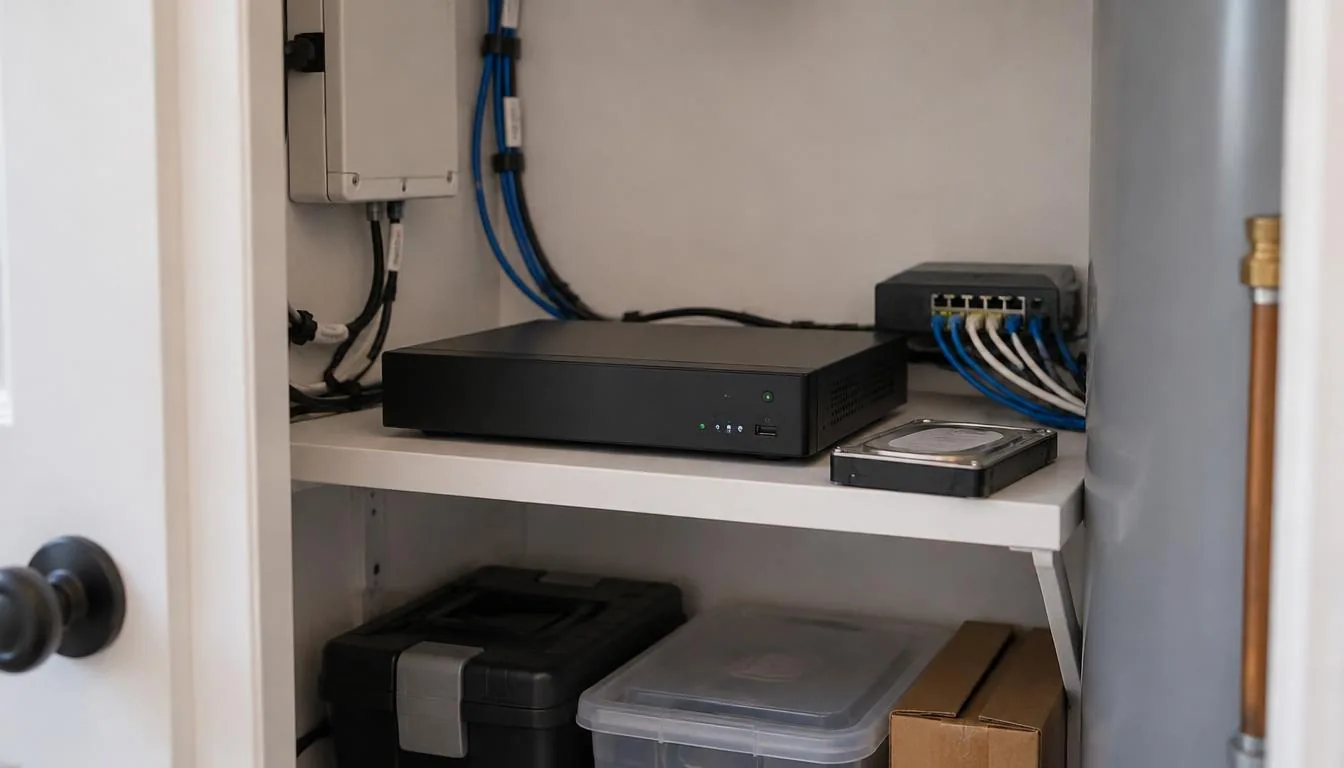
Take the local recorder first, because most houses have one. It keeps footage in the building, on disks you own, with no monthly charge and no dependence on your upload speed. Its failures are physical: a disk wears out, the recorder loses power, the building floods, or somebody carries the box out the door. The common thread is that you find out when you go looking for a clip, not when the failure happens.
Cloud storage second. It moves the copy off site, which is the correct answer when the problem is the building itself. Its failures are the network and the account. If the internet is down, nothing is uploading. If the upload is slow, the off-site copy may be thinner than the local one. If it runs on a subscription, the footage lives on terms somebody else sets, and terms change.
Then the arrangement nobody inspects, which is how the two are divided. For most houses the sensible split is local storage holding the long, complete recording, and cloud holding short clips of the events that matter, off site, where a stolen recorder cannot take them along. If only one is in the budget, choose by which failure you would mind more: the building, or the connection.
What shortens the window, in order of how often we find it
Cameras first, resolution second, frame rate third, and the recording mode last
Added cameras are the most frequent cause. Storage is finite and shared. Double the cameras on the same recorder and, all else equal, you roughly halve the days it holds. That arithmetic catches the people who added two cameras in year three and never revisited it.
Resolution is next. A sharper image is a larger image, every second of every day, and the detail is paid for in days of history. Frame rate works the same way and in the same direction. Neither is a reason to record a worse picture. Both are reasons to know what is being traded.
The recording mode is last on the list and the largest single lever. Continuous recording never misses the second before an event and fills a disk at a steady rate. Motion recording stretches retention considerably and depends entirely on the motion settings being right, which for an outdoor camera watching a tree in wind is a job of its own. This gets decided per camera. A driveway and a back door are not the same problem as a camera watching a side yard.
The condition the system never reports
A full disk does not stop. It overwrites.
A full system keeps recording. It writes over the oldest footage and continues, which is correct behavior and also the reason nobody notices. Your system is full. It has been full since a few weeks after installation.
The practical consequence is that your retention is whatever the hardware currently allows, not whatever was discussed at install. Cameras get added, resolution gets raised, a setting gets changed, and the window contracts with nothing on screen to say so.
One item belongs in the same paragraph. A disk that writes continuously is a wear item, and a worn disk can begin dropping footage before it fails outright. A system reporting a disk problem is giving you useful information. A system nobody has opened in five years is reporting nothing to anyone.
The last item on the list, and the one that fails most
The clock
Searching footage is a time problem. You know roughly when something happened, you go to that window, and you scrub through it. Every part of that assumes the recorder knows what time it is.
A clock that has drifted, or was never set after a power outage, or sits in the wrong time zone, or did not follow the daylight-saving change turns a two-minute search into an hour of guessing. It also makes the footage hard to use in any conversation where the time is part of the point, because the timestamp burned into the picture states something untrue. In the field this is the most common reason a system with perfectly good footage cannot produce the clip somebody needs.
Knowing the right window depends on something outside the camera as well. A delivery notification, a text message, a doorbell event, a gate opening — anything carrying a reliable timestamp narrows the search substantially. Without an anchor you are scrubbing an entire afternoon.
The cheap work and the expensive work
Do them in this order
The cheap work comes first because it is often all that is needed, and none of it is hardware. Two things decide whether footage is usable at all: the clock, which is what makes a day findable in the first place, and the export path, which is what turns a day on a disk into a clip somebody else can watch. Footage that fails either one is not footage yet. Motion settings on the cameras that do not need to run continuously are the other free lever, and on hardware already in the building they can add a week or more of history.
The expensive work is a larger disk, a second storage location, or replacement hardware. All three are reasonable. None of them should be bought before the cheap list is done, because a system with a wrong clock and unread warnings will have the same problems with more storage attached.
There is a standard worth separating here. "It still works" means the system is recording and live view opens. "It would be useful" means the day you need is still on the disk, the clip can be exported, and the timestamp on it is accurate. The first is a low bar. The second is the one the system gets judged on.
FAQ
FAQs
Two weeks is a reasonable floor for a house and thirty days is a comfortable target where the storage supports it. Businesses often want longer, and some have obligations that set the number for them. The number comes first; whether the system can actually hold it with every camera recording is the second answer, and the two disagree more often than not.
Neither is better in general. They protect against different failures. Cloud keeps a copy out of the building and out of reach of whatever happens there, and it depends on your internet connection. A recorder keeps everything, carries no monthly cost and no upload limit, and sits in the building with all the risk that implies. Running both is common.
Recording stops for the duration, and whatever happened in that window is not recorded. A battery backup on the recorder and the network equipment carries short outages, which on Long Island is most of them. When power returns, two things decide whether the outage cost anything beyond the gap: whether the recorder came back up, and whether its clock came back right.
Treat it as gone. Once the system has written over it, the working answer for a homeowner is that it is not coming back, which is why retention gets decided in advance. A clip that matters is only safe once it is off the system; on the system it is always queued to be written over.
What the sequence reveals
The order never changes: the event, the delay, the search, and then the discovery that the window closed somewhere in the middle of it. Retention, the clock and the export path were all settled long before that day, usually by somebody who was thinking about cameras rather than about the afternoon a clip would be asked for.
Plan the recording setup
For camera recording and remote viewing, see Surveillance Systems Service & Troubleshooting.
Our town guides for Kings Park and Hewlett cover surveillance and entry.
Talk through the problem
Call 631-656-9180, Mon–Fri 8 AM–6 PM and Sat 9 AM–1 PM, or tell us what is happening through the contact form. We serve Long Island, Manhattan and the Hamptons.